
01
Install in a minute.
Download, drag to Applications, done. Apple notarized, so macOS trusts it out of the gate.
Smart Breeze shows exactly how hot your Mac is running, and lets you take control of the fans when macOS plays it too safe.
One payment unlocks fan control where supported. Free monitoring on every Mac.
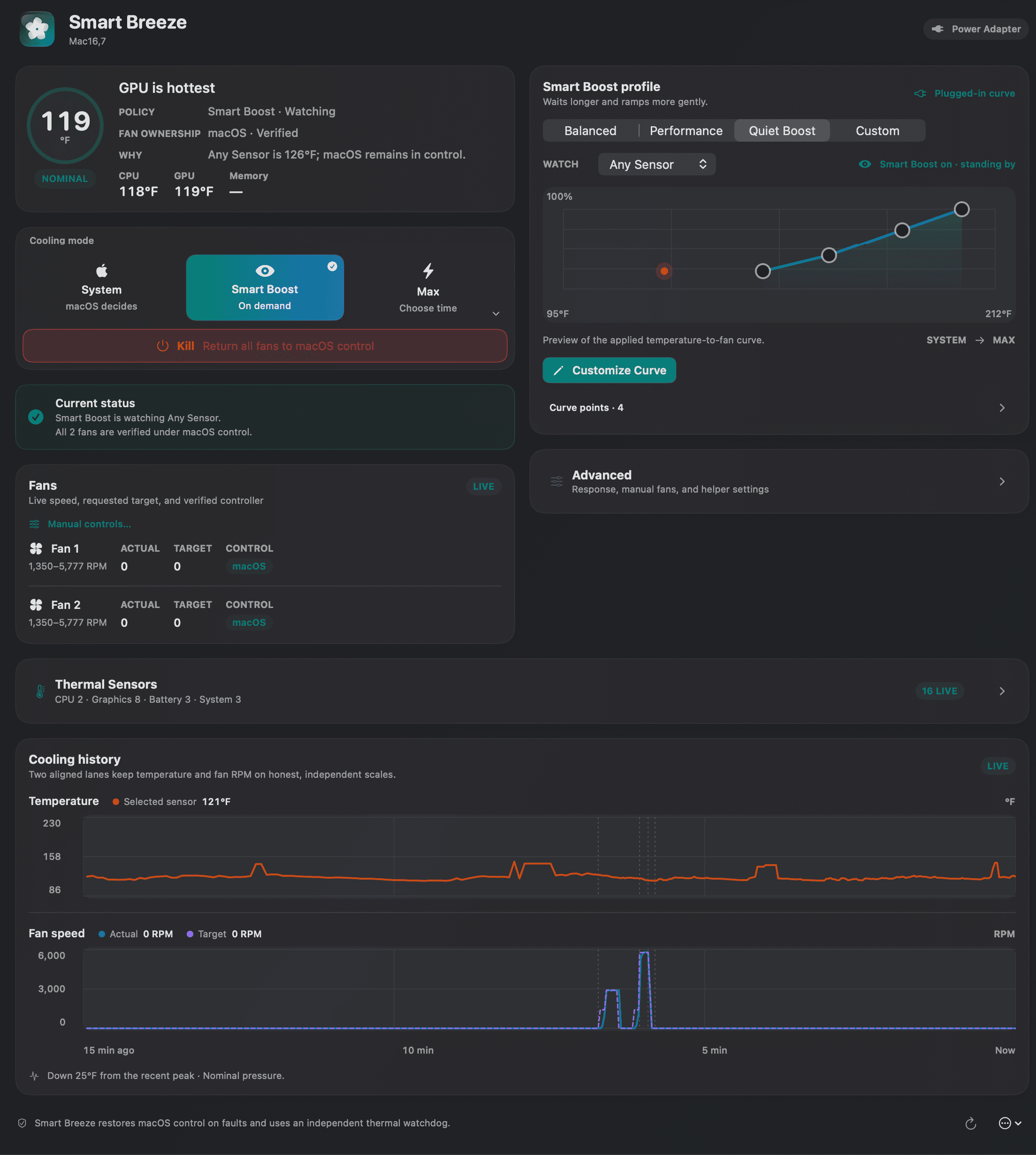
Install Smart Breeze, read the thermal picture, then decide when your Mac needs more cooling.
Download, drag to Applications, done. Apple notarized, so macOS trusts it out of the gate.
Read live temperatures and fan speeds in one clean window. Know exactly what your Mac is doing.
Set your own fan curves, or leave it to macOS. Your call, and the watchdog is always watching.
Keep the essentials in one native Mac utility, from live sensor readings to automatic multi-sensor fan curves.
Use live monitoring to see CPU, GPU, battery, and enclosure temperatures plus fan RPM, updated live. Keep monitoring free on every Mac, forever.
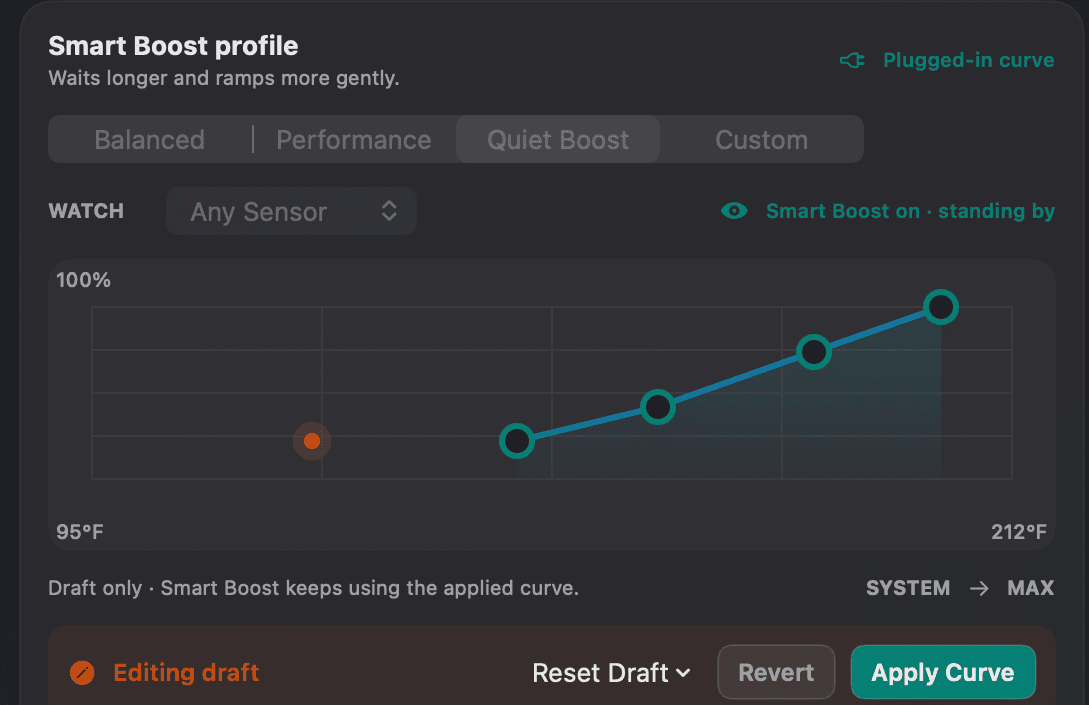
Use manual fan control or build automatic curves from the sensors you pick. Get fan control only on Macs where it is verified safe.
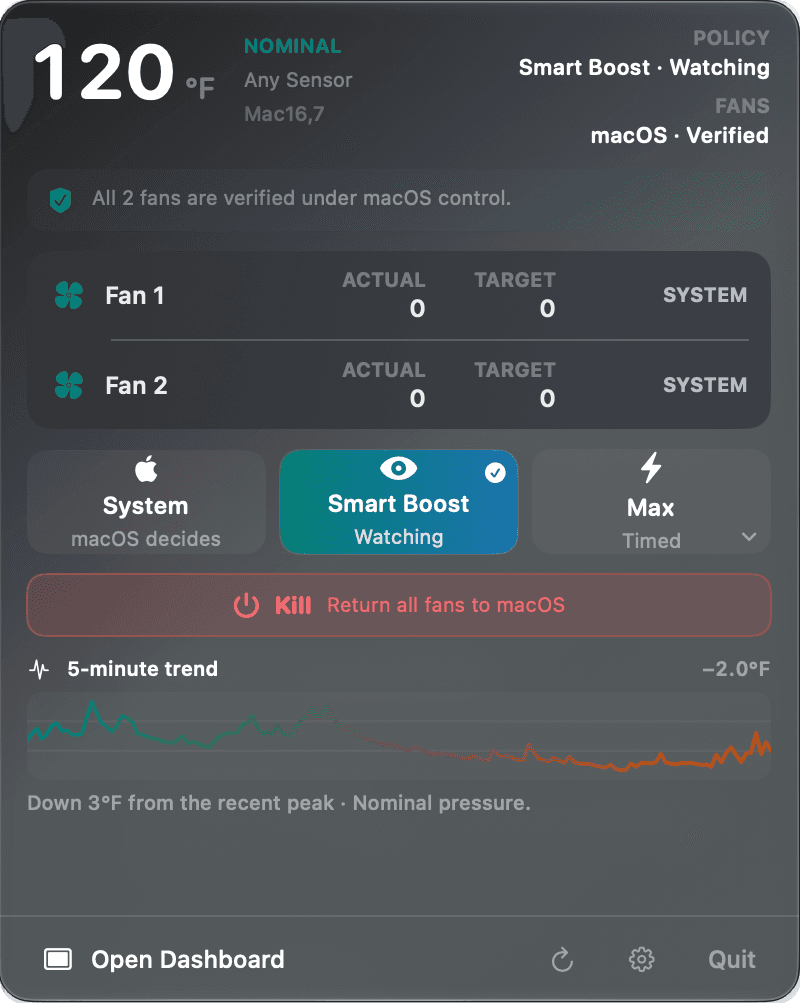
If anything looks wrong, Smart Breeze hands control straight back to macOS.
Keep the active policy, selected sensor, fan targets, and actual speed in one view. Put macOS back in charge with one click.
Smart Breeze checks your hardware after installation and shows exactly what your model supports. Skip the model-number lookup.
Get monitoring plus fan control: Smart Boost, timed Max, and custom curves.
There is no fan to control, but every temperature sensor stays visible.
Use Apple silicon only, by design. Intel Macs are not supported.
Unlock fan control where supported with a single one-time purchase. Keep monitoring free on every Mac.
 Smart Breeze
Launch price · one-time purchase
Read live temperatures in the dashboard and menu bar.
Shape automatic cooling from the sensors you choose and control fans independently on supported Macs.
Use the Kill switch or let the watchdog hand every fan back to macOS if anything looks wrong.
Download Smart Breeze free. Add fan control whenever you are ready.